The 10 Best WordPress LMS Plugins to Create and Sell Online Courses

Creating and selling online courses has become an excellent business opportunity in recent years. WordPress, being one of the most popular platforms for creating websites, has been updated to adapt to this trend. And this is where WordPress LMS (Learning Management System) comes into play. But, what is an LMS, and what are its functionalities? Let’s explore it.
Tabla de contenidos
What are LMS?
A Learning Management System or LMS is a learning administration system that allows the creation, management, and distribution of educational content online. These systems provide a digital learning environment, through which educators can create, manage, and deliver content, while students can access these materials comfortably and effectively.
What are the functionalities of an LMS?
The functionalities of an LMS are diverse and go beyond simple content distribution. Some of the main functionalities include:
- Creation of online courses.
- Monitoring and tracking of students’ progress.
- Providing feedback and evaluation.
- Facilitating interaction and collaboration among students.
- Offering course completion certificates.
The Top 10 WordPress LMS Plugins
| Plugin | Pros | Cons | Rating | Type (Paid or Free) | Link |
|---|---|---|---|---|---|
| Tutor LMS | Intuitive interface and many useful features. | Customer support may be slow. | 7.5/10 | Free and Paid | Go to Tutor LMS |
| LearnPress | It’s free and offers a decent range of features. | Some premium additions and features can be expensive. | 7/10 | Free and Paid | Go to LearnPress |
| LearnDash | Ease of use and integration with a wide variety of tools. | Some functionalities may be difficult to customize. | 9.5/10 | Paid | Go to LearnDash |
| LifterLMS | Wide range of features and excellent customer support. | Most advanced features require the paid version. | 9/10 | Free and Paid | Go to LifterLMS |
| Sensei LMS | Seamless integration with WooCommerce. | Customization may be limited compared to other options. | 8/10 | Free and Paid | Go to Sensei |
| FoxLMS | Drag and Drop Course Builder, Gutenberg Block for lessons, and Quiz Integration | Some advanced features are only available in the Pro version. | 9.5/10 | Free and Paid | Go to FoxLMS |
| MasterStudy LMS | Wide variety of features and attractive design. | Setup process may be a bit complex. | 7/10 | Free and Paid | Go to MasterStudy LMS |
| WP Courseware | Drag-and-drop course creation, excellent for beginners. | May lack some student analysis features. | 8/10 | Paid | Go to WP Courseware |
| Teachable | Excellent user interface and advanced analytics. | The free plan has significant limitations. | 8.5/10 | Free and Paid | Go to Teachable |
| Good LMS | It’s economical and provides the basics to get started. | May lack advanced features and flexibility. | 6.5/10 | Paid | Go to Good LMS |
| AccessAlly | Gamification and marketing automation features. | May be more expensive than other alternatives. | 6/10 | Paid | Go to AccessAlly |
1. TutorLMS
Tutor LMS is a powerful and user-friendly WordPress plugin designed to help you build professional online courses. With a modern interface and flexible features, it supports multi-instructor platforms and integrates seamlessly with popular tools.
It’s ideal for online course marketplaces, educational institutions, and coaches looking for a scalable eLearning solution.
Key Features
-
Drag-and-drop course builder with multimedia support
-
Frontend dashboard for instructors
-
Quiz builder and certificate generation
-
WooCommerce and EDD integration
-
Progress tracking and instructor commissions
Pros: Clean interface and strong feature set; perfect for collaborative teaching platforms.
Cons: Some essential features are locked behind the Pro version.
Price: Free version available; Pro starts at $149/year.


2. LearnPress
LearnPress is one of the most popular free LMS plugins for WordPress. It offers a flexible course creation system and works well with most themes and plugins.
It’s perfect for educators, startups, or schools with a limited budget looking to launch eLearning quickly.
Key Features
-
Course, lesson, and quiz management
-
WooCommerce integration for paid courses
-
Student tracking and performance reports
-
Add-on support for advanced features
-
Active developer community
Pros: Free and full-featured out of the box; large user base and many add-ons.
Cons: Some advanced tools like certificates require paid extensions.
Price: Free; premium add-ons start at $29.


3. LearnDash
LearnDash is one of the most advanced and widely adopted premium LMS plugins for WordPress. Trusted by universities and enterprises, it offers unparalleled flexibility and scalability.
Perfect for professional course providers and high-volume educational platforms.
Key Features
-
Drag-and-drop course builder
-
Drip content and focus mode
-
Advanced quizzes and assignments
-
Certificate builder
-
Deep integration with payment gateways and CRMs
Pros: Enterprise-level features with deep customization potential.
Cons: Steep learning curve; not budget-friendly.
Price: Starts at $199/year.


4. LifterLMS
LifterLMS is a comprehensive WordPress plugin that combines course building, membership management, and eCommerce into one platform. It’s known for its flexibility and enterprise-level features.
Best suited for entrepreneurs, coaches, and education businesses needing a professional-grade LMS.
Key Features
-
Drag-and-drop course builder with learning paths
-
Gamification with certificates, badges, and achievements
-
Integration with Stripe, PayPal, and WooCommerce
-
Memberships and content restriction
-
Email marketing and CRM add-ons
Pros: Highly flexible and extendable with strong support.
Cons: Many features require paid add-ons.
Price: Starts at $199/year.


5. Sensei LMS
Sensei LMS, developed by Automattic (creators of WordPress.com and WooCommerce), provides an LMS solution built directly into the WordPress block editor.
Perfect for WooCommerce users who want to offer courses alongside physical or digital products.
Key Features
-
Native course, lesson, and quiz management
-
Drip content scheduling
-
Certificate support
-
Built-in analytics
-
WooCommerce integration for course sales
Pros: Seamless integration with WordPress and WooCommerce.
Cons: Limited out-of-the-box features compared to more advanced LMSs.
Price: Free version available; Pro starts at $149/year.


6. FoxLMS
FoxLMS is a powerful and multipurpose plugin to create and manage online courses on WordPress. It offers everything you need to turn your WordPress website into a real e-learning platform.
Whether you are an educator, content creator, online course creator, own a business, or an educational institution, the FoxLMS plugin will be an ideal solution for everyone.
It is known for its powerful Gutenberg block to create video and text-based lessons, certificate awarding feature, Quiz Plugin integration, drag and drop course builder, and many more.
Key Features
- Built-in Quiz Integration
- Drag and drop course builder
- Gutenberg Block for video and text-based lessons
- Certificate awarding after the course completion
- Advanced User and Instructor Profiles
- Paid Courses
- Powerful Analytics and progress tracking
Pros: Easy-to-use WordPress plugin to create and sell unlimited courses with quizzes, certificates, and no commission fees.
Cons: The plugin is relatively new, so it may have limited third-party integrations.
Price: Free version available. Pro starts at $99.50 /year


7. MasterStudy LMS
MasterStudy LMS is a feature-rich WordPress LMS plugin tailored for modern online learning. It supports live streaming, SCORM, and course bundles.
Ideal for educational institutions, online academies, and tutors who offer live sessions.
Key Features
-
Visual course builder
-
Integration with Zoom and Google Classroom
-
SCORM support and quizzes
-
Certificate generation and gradebook
-
WooCommerce and Stripe integration
Pros: Live class support and a modern, intuitive UI.
Cons: Some useful features are only available in the Pro version.
Price: Free version available; Pro starts at $69/year.


8. WP Courseware
WP Courseware is a long-standing WordPress LMS plugin with drag-and-drop functionality and strong integration support.
It’s ideal for solo educators, universities, and training departments.
Key Features
-
Visual course builder with modules and units
-
Quiz builder with multiple question types
-
Downloadable certificates
-
WooCommerce and membership plugin integrations
-
Student dashboards and progress tracking
Pros: Easy setup and wide compatibility with other tools.
Cons: Slightly outdated UI compared to newer LMS solutions.
Price: Starts at $129/year.


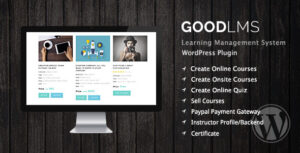
9. Good LMS
Good LMS is a premium plugin sold on CodeCanyon that delivers the basics of online course delivery in a simple, no-frills package.
Great for individuals or small organizations looking for a low-cost, straightforward LMS.
Key Features
-
Course and quiz management
-
Built-in PayPal integration
-
Timed tests and score tracking
-
Certificates and teacher management
-
Student and instructor dashboards
Pros: Affordable and simple to operate.
Cons: Lacks integrations and advanced customization options.
Price: One-time payment of $32 via CodeCanyon.

10. Teachable
Teachable is a standalone platform for creating and selling online courses. It’s not a WordPress plugin but can be integrated via embed or link.
Ideal for non-technical users who want a quick, hosted solution.
Key Features
-
Course builder with multimedia lessons
-
Built-in payment and checkout
-
Affiliate marketing and coupon tools
-
Automated student communication
-
Native analytics and progress tracking
Pros: Extremely user-friendly and hosted; no server maintenance.
Cons: Less customizable; transaction fees on the free plan.
Price: Free plan available; paid plans start at $39/month.


11. AccessAlly
AccessAlly is a premium WordPress LMS and membership plugin built for advanced business automation. It goes far beyond traditional LMSs by offering CRM integration, gamification, and sales funnels.
Ideal for coaches, online businesses, and membership sites that need deep personalization.
Key Features
-
Full CRM integration with ActiveCampaign, ConvertKit, etc.
-
Membership levels, tags, and conditional content
-
Gamification with points, badges, and unlockables
-
One-click upsells, cart abandonment, and automation
-
Course builder with dynamic progress paths
Pros: Incredibly powerful for marketing-driven course businesses.
Cons: Expensive and complex for beginners.
Price: Starts at $99/month.


Conclusión
Implementing an effective WordPress LMS can take your online courses to the next level. From creating engaging content to managing students and selling courses, LMS plugins can help you achieve your educational and business goals.
While there are many plugins available, choosing the right LMS for WordPress depends on your specific needs and circumstances. We hope that with this detailed analysis, you can make an informed decision and make the most of your online teaching and learning experience.
Frequently Asked Questions
Why should I use a WordPress LMS?
Using a WordPress LMS allows seamless integration with your existing website, provides full control over your course content and data, and offers the possibility to customize the learning experience according to your specific needs.
Are all WordPress LMS plugins paid?
Not all WordPress LMS plugins are paid. There are several free options available, such as LearnPress and Tutor LMS, although paid versions generally offer more features and functionalities.
Can I use a WordPress LMS without technical skills?
Definitely. Many WordPress LMS options are designed to be user-friendly, even for those without advanced technical skills. Plugins like LearnDash and LifterLMS have intuitive interfaces and provide a wide range of learning resources to help you get started.
What is the best WordPress LMS for selling online courses?
The choice of the best WordPress LMS for selling online courses depends on your specific needs. LearnDash and LifterLMS are popular choices due to their integration with e-commerce tools and advanced course management features, although other plugins like Teachable and Sensei may also be suitable depending on your requirements.

Stay in the loop

