New in Modular DS: Create client reports with more control and customization

Client reports are an essential part of the job for any agency or professional managing websites. Not just for keeping clients updated, but for showing the value of your work and helping clients see the real impact you’re making on their sites.
That’s why we’re so excited to introduce a revamped client reporting experience in Modular DS this month. Reports have always been a key feature of Modular DS, and we’ve put extra care into making it even more powerful, flexible, and time-saving in this update.
You asked for more control and customization to create and manage them. Now, it’s all here!
Read on to learn everything that’s new.
Prefer to see it in action? Here’s a quick video overview:
Table of contents
Client report templates
Finally, a reality! Create your own custom report templates with your preferred content and settings and use them whenever you need to generate reports for any of your websites.
The best part of templates? No more starting from scratch. You can also clone any previous report and use it as a starting point for a new one.


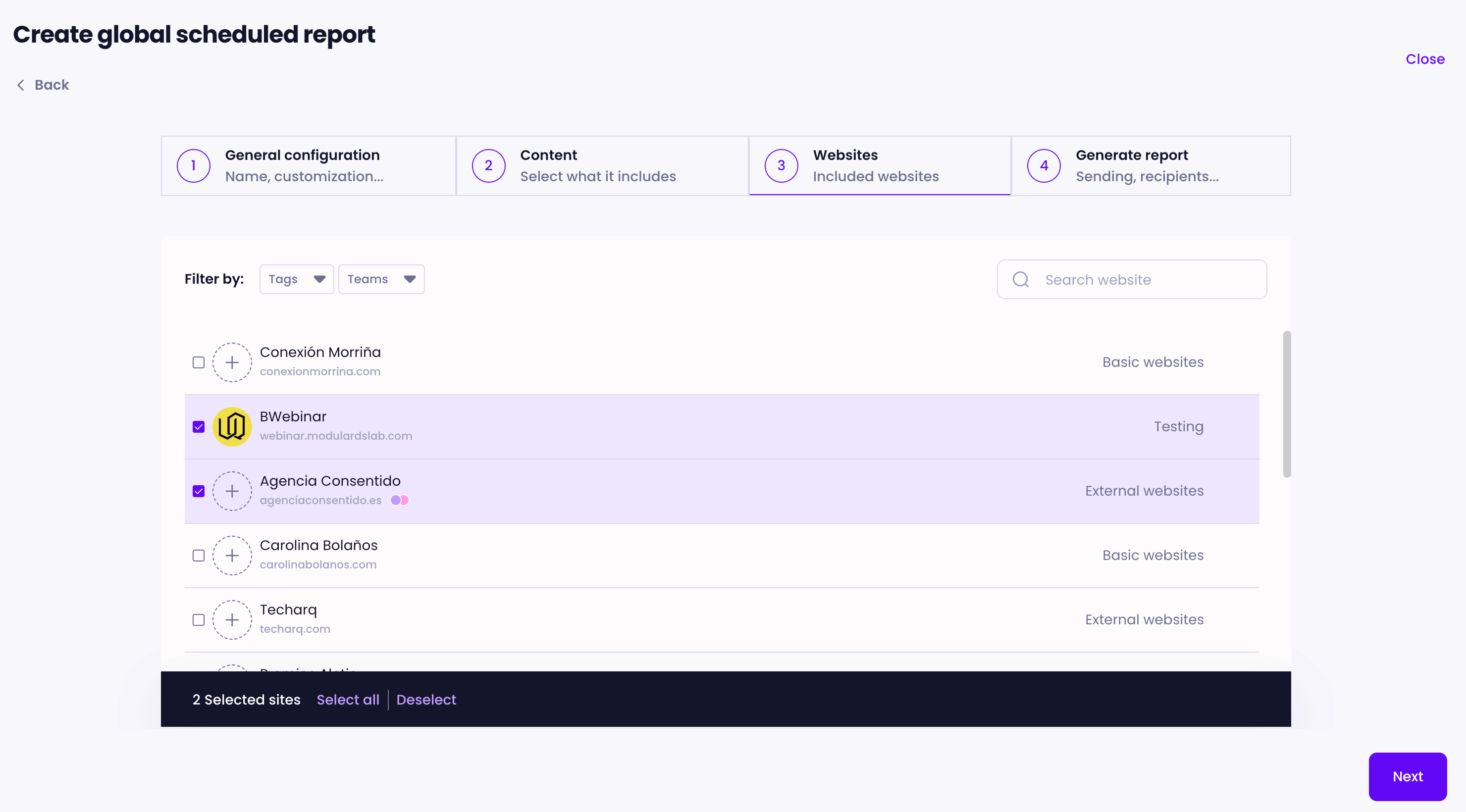
Global reports for multiple websites
Until now, if you wanted to send similar reports to multiple websites, you had to create and update each one separately.
With the new global reports, you can create and schedule a single report for multiple websites at once, whether it’s a one-time or recurring report.
A personalized report will be generated for each website, automatically filled with its logo, recipient, stats, completed tasks, etc. For global recurring reports, any changes you make to the content will be applied across all assigned websites, helping you avoid manual, repetitive work.
Wondering how to set each site’s logo or the recipient?
It’s easy: just add the logo in each site’s settings, and it will show up on every report for that website.
To assign recipients, keep reading…

Client management
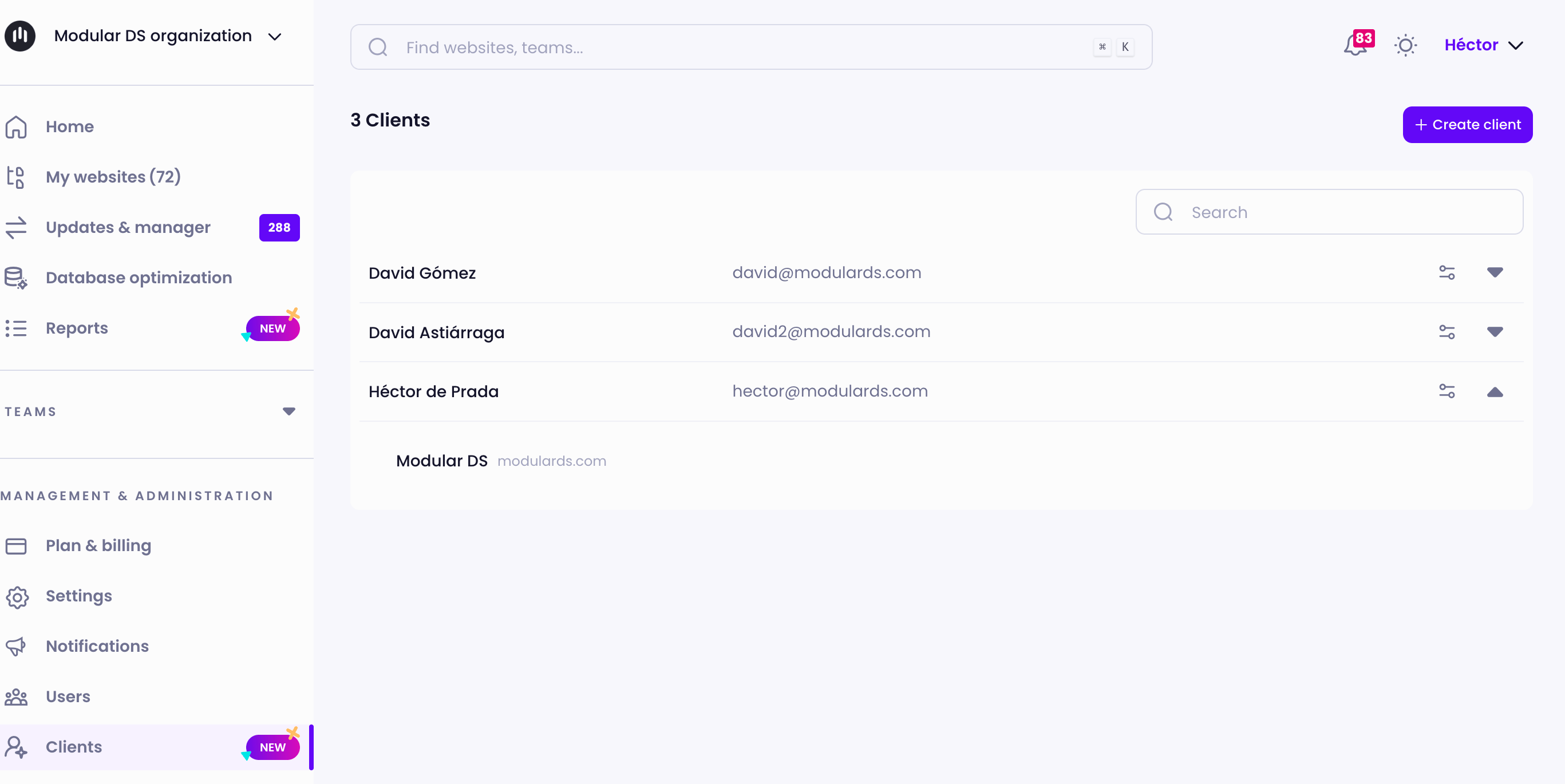
We know managing lots of clients and their websites can easily get complicated. To simplify things, we’re introducing a new client management section to Modular DS, allowing you to add clients and assign them to the websites you manage for them.
When you set up a recurring report, it will be automatically sent to the corresponding client(s), making the process even more efficient.

Dynamic email fields
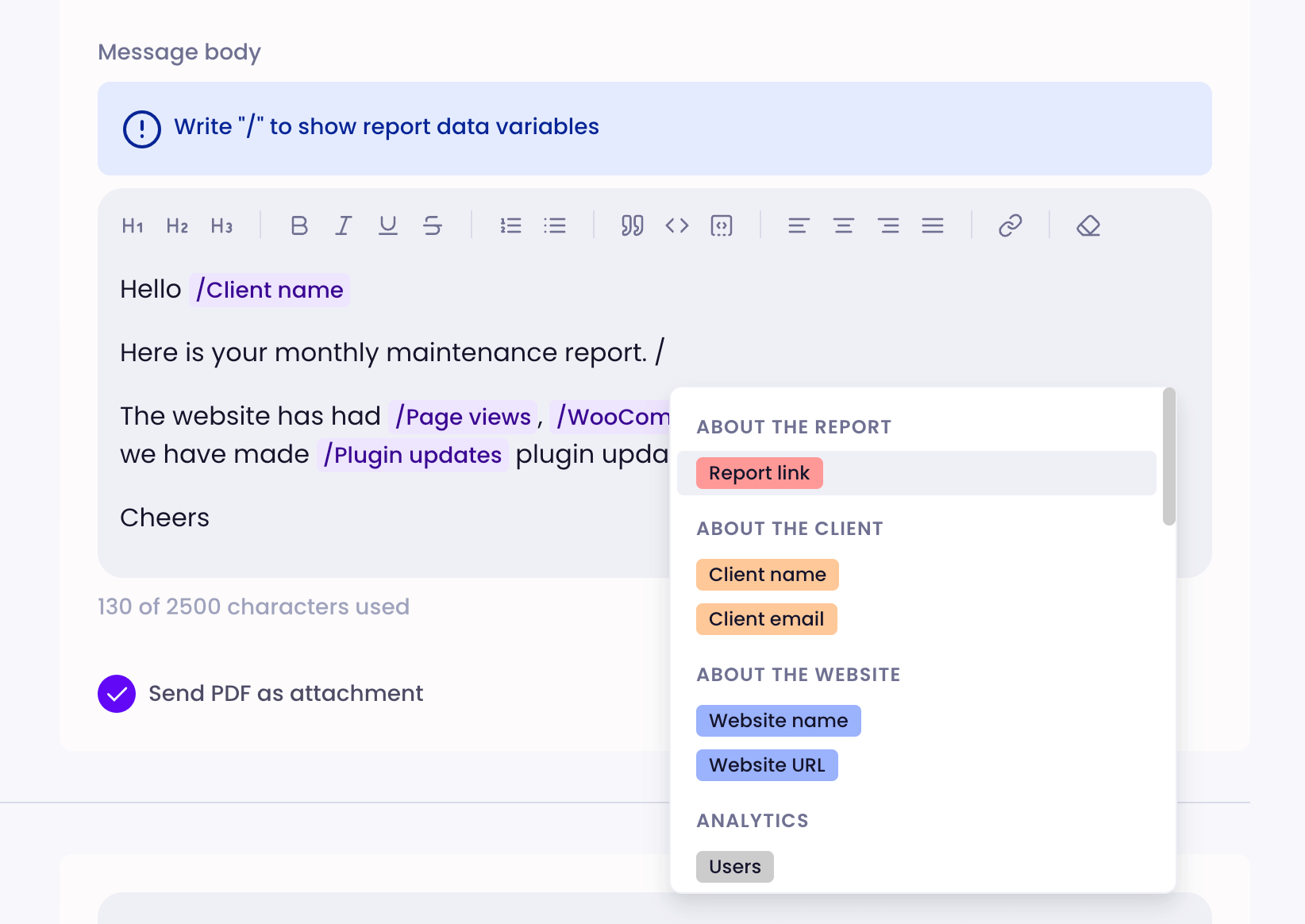
Want to personalize your report emails even further? This update makes it easy.
Insert dynamic fields right into your messages, like the client’s full name, website URL, updates, site visits, uptime percentage, and over 30 other variables to choose from.
This way, every client gets the most relevant information, in a format that’s easy to understand, even for those who only skim through their reports.

Manual report sending
Alongside scheduled and automatic deliveries, you can now manually send any report you’ve previously generated in Modular DS, whenever you need.
Perfect for when you want to review or fine-tune a report before sending it out, giving you more control over what each client receives.
Have you tried this new update yet?
This update is a big step forward in how you create and manage maintenance reports in Modular DS.
Whether you’re an agency, a freelancer, or just starting out with website maintenance services, all these improvements are designed to save you time, make client communication easier, and help you show the value of your work—ultimately helping you retain clients for the long term.
Not part of the Modular DS community yet? Now’s the perfect time to see why thousands of professionals trust Modular DS to manage their WordPress websites 😉
Sign up for free and try all the new features.
Related resources

Stay in the loop