New in Modular DS: Backup restoration improvements, WhatsApp integration, and more

We’re back with our monthly product update. If you thought we’d slow down after launching Modular DS 2.0, think again 😉
As always, we’ve been busy improving the platform, and today, we’re introducing a new set of features designed to make your day-to-day work a little easier.
Table of contents
Backup restoration improvements
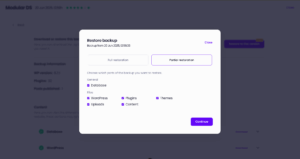
Two months ago, we launched the ability to restore backups directly from Modular DS. Since then, hundreds of restores have been completed successfully. Now we’re adding more flexibility and control:
- Partial backup restores: Choose exactly which part or files of your website you want to restore, plugins, themes, wp-content… or maybe just the database. It’s up to you.
- More room for your backups (8 GB): We’ve increased the size limit for backups you can restore directly from Modular DS. From 2 GB to 8 GB.

Bulk database optimization
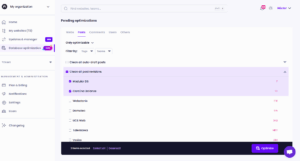
This June’s update introduces bulk database optimization, just like you already do with updates.
With a single click, you can now clean up databases across multiple WordPress websites at once. Remove revisions, spam comments, expired transients, orphaned tables, and other unnecessary data to free up space and improve your sites’ performance.

New uptime monitoring notifications via WhatsApp
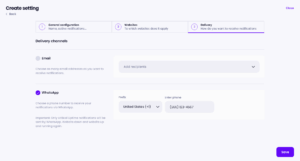
Receive downtime alerts via WhatsApp, in addition to email. All uptime monitoring notifications are sent through a dedicated chat with Modular DS, so you’ll know right away if one of your sites goes down, wherever you are.
Important: SMS alerts will be replaced by WhatsApp notifications in the coming weeks, so make sure to enable them in your account’s notification settings page so you don’t miss any downtime alerts.

Automatic cache clearing
We know how easy it is to forget to clear the cache after making changes to a website. That’s why you can now automate this task in Modular DS.
Every time you take an action related to plugins or themes—like updating, installing, or activating—you can choose to have Modular DS automatically clear your website’s cache. This ensures that changes are reflected instantly and helps prevent display or functional issues.
Also, cache will be cleared by default whenever you enable or disable Maintenance Mode.
This feature is currently compatible with the LiteSpeed Cache, WP Rocket, WP Super Cache, WP Fastest Cache, W3 Total Cache, Breeze, NitroPack, and FlyingPress plugins.

All new features are now live and ready for you to explore.
Give them a try and let us know what you think!

Stay in the loop